
Help › Android › Install and Setup
Battery Optimization (Unrestricted)
Android tries to save battery by restricting how often background apps can run. For PhoneLeash this is a problem: if Android pauses the background service, incoming texts can be delayed, or even missed.
So it's highly recommended that you set PhoneLeash to Unrestricted in your phone's battery settings. The steps differ slightly between Pixel and Samsung — in particular, the Pixel screen is easy to misread.
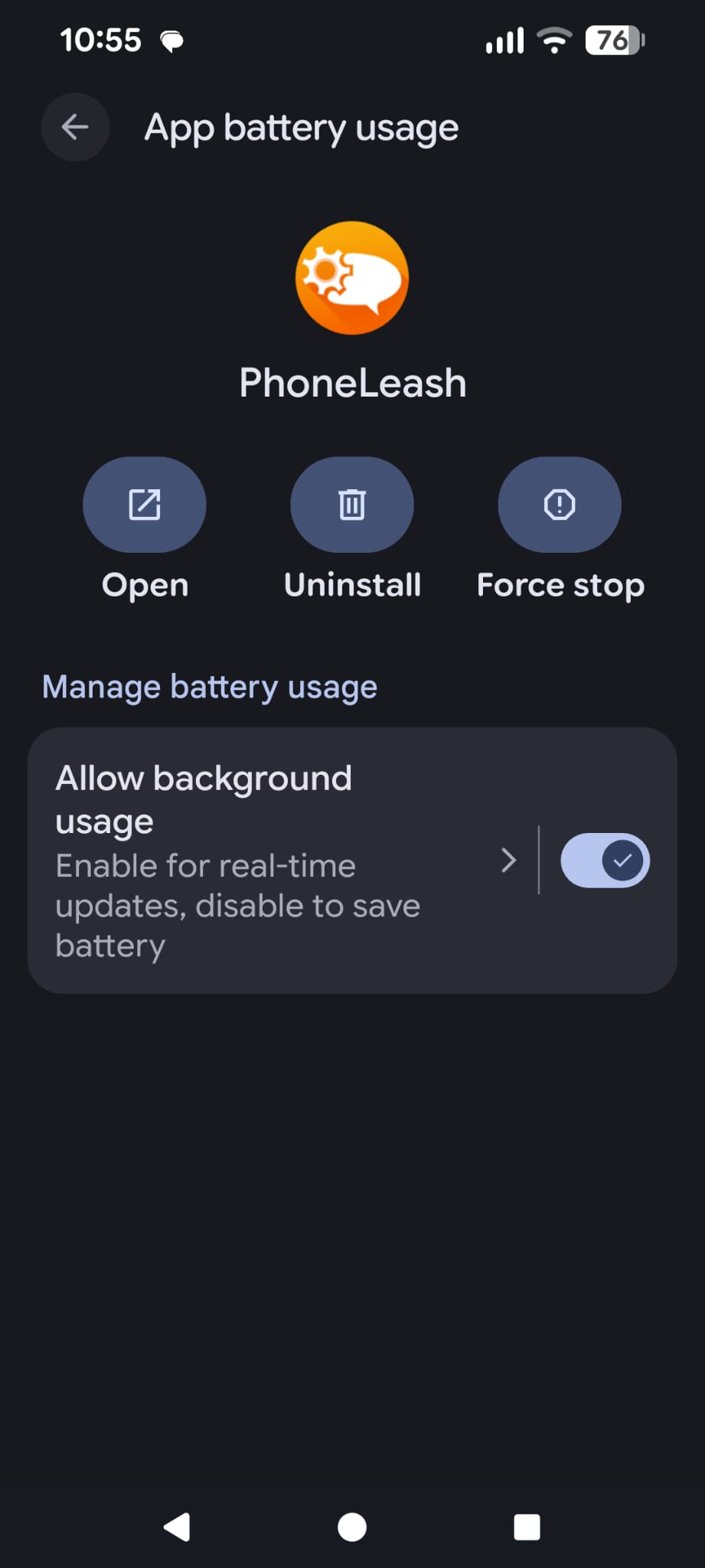
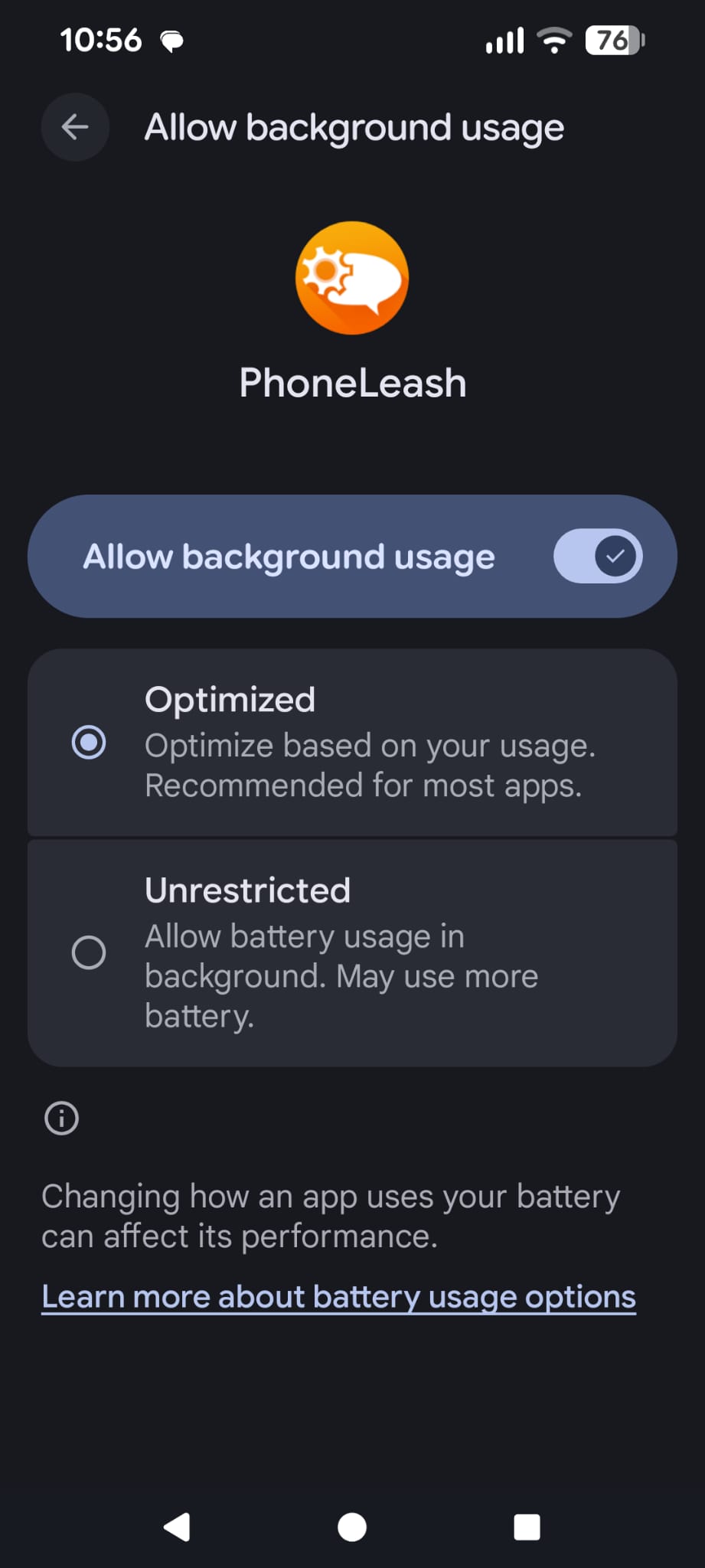
Heads up (Pixel users): seeing the “Allow background usage” toggle on is not the same as Unrestricted. The toggle just means PhoneLeash is allowed to run in the background “Optimized” — which still throttles it. You have to tap the small › arrow next to the toggle and pick Unrestricted.
Pixel (Android 14, 15, 16)
- Open Settings › Apps › PhoneLeash › App battery usage.
- You'll see Allow background usage with a toggle. The toggle being on is not enough. Tap the small › arrow to the left of the toggle (or anywhere on the row) to open the next screen.
- On the next screen you'll see two options: Optimized (the default) and Unrestricted. Pick Unrestricted.
Samsung (Galaxy S, A, and Note series)
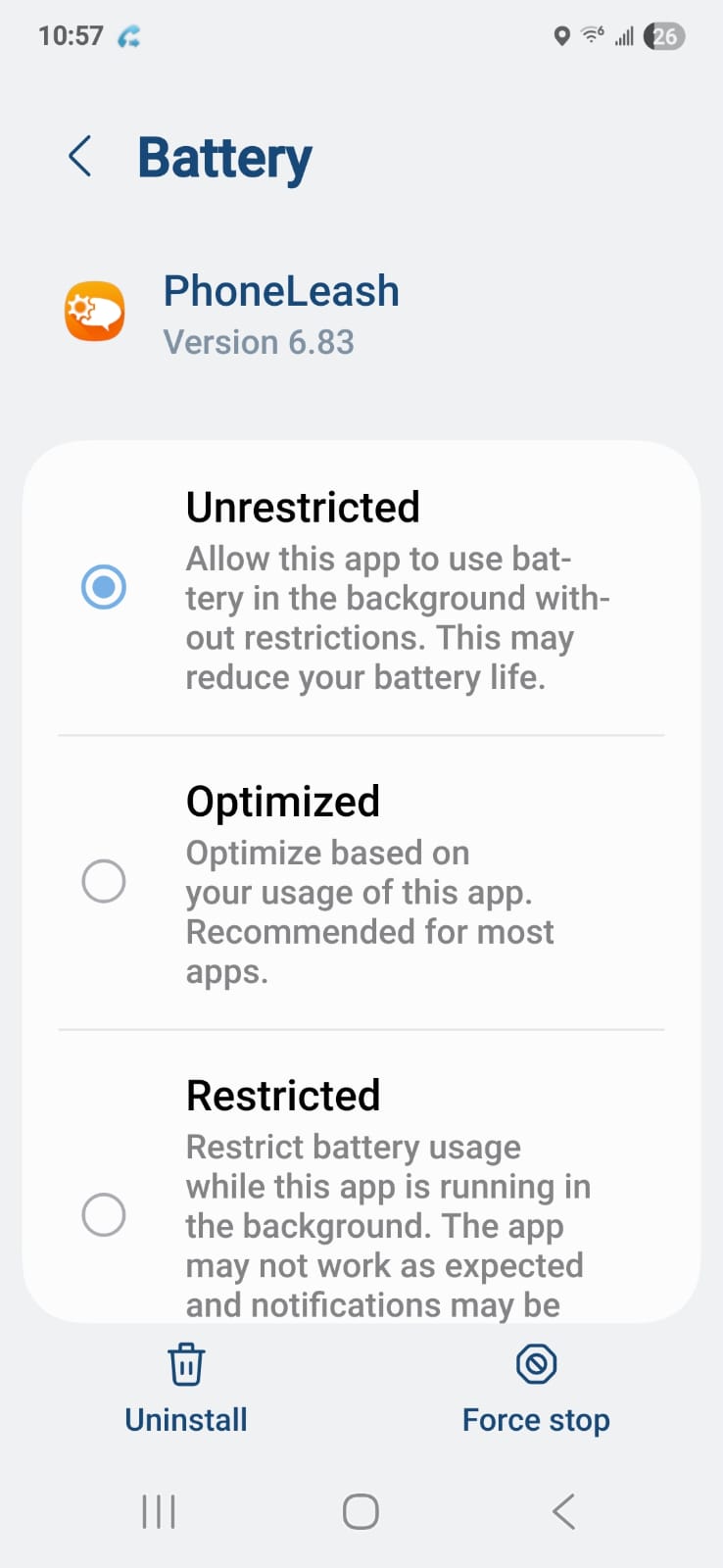
- Open Settings › Apps › PhoneLeash › Battery.
- Pick Unrestricted from the list (the default is usually Optimized).
See also: App permissions · It's not working.