
Reply confirmations: add ‘ ///’ and know your forwarded-text reply actually sent
PhoneLeash already lets you reply to a forwarded text remotely. For email destinations you just reply to the forwarding email and it goes back out to your contact as a text (how it works); phone destinations can do the same, a tad less simply.
It's reliable — but sometimes you want reassurance. You replied to a forwarded text, things went quiet, and you're not sure it went out. You don't want to fire off a second reply just to be safe.
As of version 6.99 (November 5, 2026), there's a super-simple way to get a sent confirmation.
Append ‘ ///’ to your reply
Add a space followed by three forward slashes — /// — to the end of your reply:
Yes, dinner would be great! Can you confirm the place? ///
When your PhoneLeash phone receives the reply and sends it out as a text, it sends a ✓ Sent confirmation back to your forwarding destination — email or phone — confirming the message went out.
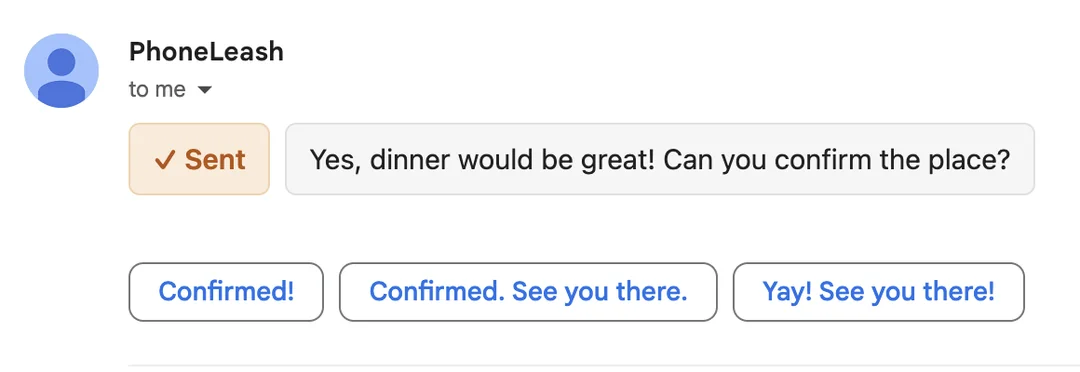
The /// is just a control marker: it triggers the confirmation and is stripped before your message goes out, so your contact only ever sees your actual reply. Leave the suffix off and replies behave exactly as before, with no confirmation.
How to get it
Update to 6.99 or later from the Play Store. There's nothing to turn on — add /// to a reply whenever you want a receipt.
Frequently Asked Questions
Which version do I need?
Version 6.99 (released November 5, 2026) or later, on Android. Update from the Play Store, then add the /// suffix to any reply.
How do I trigger a confirmation?
Append your reply with a space followed by three forward slashes — ///. When your PhoneLeash phone sends the reply out as a text, it sends a ✓ Sent confirmation back to your forwarding destination. Without the suffix, replies send exactly as before, with no confirmation.
Does my contact see the ‘///’ marker?
No. The /// is a control marker — it triggers the confirmation and is removed before your message is sent. Your contact receives just your reply text.
Does it work for phone destinations too?
Yes. The confirmation comes back to whatever you forward to — email or a second phone.
I'm on an OTP-only plan and don't see replies.
Replies — and therefore reply confirmations — are not available on OTP-only plans. OTP-only plans forward verification codes in one direction only; there is no reply channel to confirm.